Who needs me?
Open the review queue or inspect a lead’s context and requested check-in date.
INSIDE XPLEAD
Explore the combined dashboard, the lead pipeline, and examples of personal follow-up. Everything below uses sample data—no inbox is connected and no email is sent.
ONE PLACE TO RUN YOUR FOLLOW-UP
See the big picture and the next action together. Review an email, check an upcoming follow-up, or adjust your program without piecing the story together across screens.
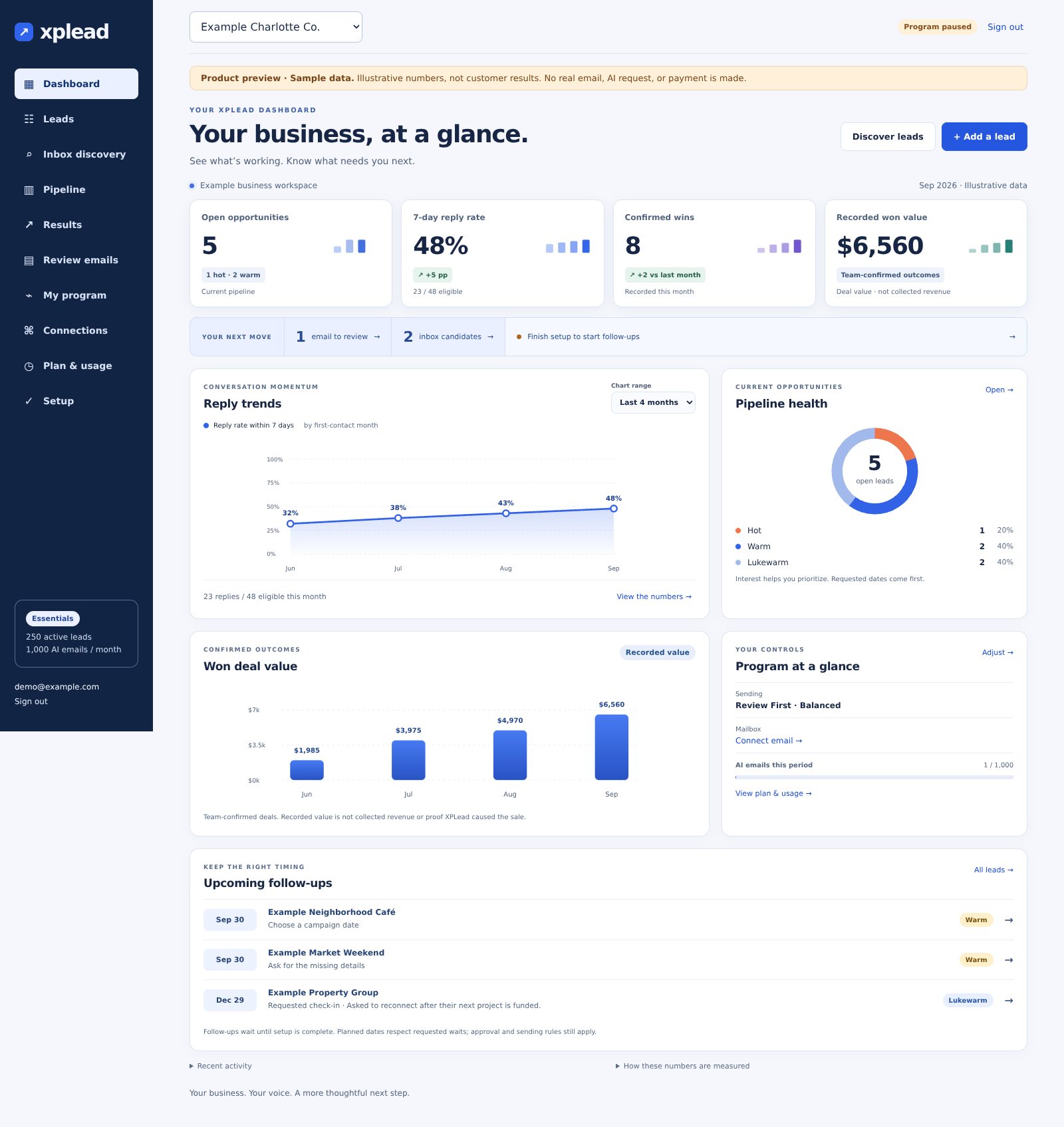
Open the review queue or inspect a lead’s context and requested check-in date.
See monthly reply trends with the conversation counts behind each percentage.
Track wins confirmed by your team and the deal values you record.
Fictional contacts and sample figures demonstrate the working interface; they are not customer results. Recorded deal value is not collected revenue or proof of sales caused by XPLead.
Client workspace shown in product preview. Email-provider compatibility, inbox-history features, availability, and setup scope are confirmed before payment.
START WITH THE INQUIRIES YOU ALREADY HAVE
A pricing question you meant to answer. A proposal that stalled. Someone who asked you to check back later. Inbox discovery helps surface potential inquiries for your review.

Discovery suggests potential inquiries using conversation and activity signals. You review relevance and permission before enrollment. Priority scores are guides, not predictions of a sale.
THE EMAIL YOUR LEAD COULD RECEIVE
Choose a business below and explore the prewritten example.
The agreed date is recorded. Follow-up is scheduled within your business’s rules. A reply or a request to stop changes the plan.
Illustrative, prewritten scenarios—not a live AI service or a customer account. No messages are sent and no inbox is connected.
START WITH YOUR BUSINESS
Choose a paid plan and tell us what needs follow-up. We confirm your connections, setup scope, and fees before you commit.
Choose your plan. We guide your setup.